
How to Create a Video Ad: The Step-by-Step Process That Actually Converts
Most video ads fail before the camera comes out.
Not because the footage looks bad, and not because the budget was too small. They fail because the ad was made as a video first and an advertisement second — a nice-looking company overview with a logo on the end, pointed at an audience that never asked for it.
A video ad is not a video that happens to run as an ad. It is a piece of direct response that has to do a specific job in a specific number of seconds. Here is the process we use to build one, in the order the decisions actually have to be made.
The Short Answer
To create a video ad: decide the single action you want, write the offer, build a script around a hook, a short story, that offer, and one call to action, film several hook variations in a single session, edit for sound-off viewing with captions, then launch small and test the hooks before scaling the winner. The camera work is the easy part. The sequence is what makes it convert.
Step 1: Decide the One Action
Before anything else, finish this sentence: someone who watches this ad should ___.
Book a call. Buy the product. Start a free trial. Walk into the store. Request a quote. One verb, one destination.
This sounds obvious, and it is the step most businesses skip. When an ad tries to build brand awareness and drive bookings and announce a new location, it does none of them. Every later decision — how long the video runs, what the last five seconds say, which audience you target, what counts as success — comes out of this one answer.
Step 2: Write the Offer Before You Write the Script
The offer is not your price. It is the whole trade you are proposing: what someone gets, what it costs them, why it is worth it, and why now.
Write it as one plain sentence before you write a word of script. "A free 20-minute strategy call where we map out your content plan" is an offer. "Learn more about our services" is not — it asks for effort and promises nothing.
If the offer is weak, no amount of production quality rescues it. This is where most ad budgets are actually lost, and it is a strategy problem, not a filming problem.
Step 3: Pick One Message
You will be tempted to cover everything you do. Do not.
A video ad has room for one idea. Pick the single thing your ideal customer would find most compelling if they only heard one thing from you — usually the specific problem you remove, stated in the words they would use themselves.
If you have three strong messages, you have three ads, not one. That is a good problem, and it is cheaper to solve than you think, because they can all be filmed on the same day.
Step 4: Script It in Four Parts
Once the action, offer, and message are set, the script writes itself in four movements:
- The hook (first three seconds). The only job of the opening is to buy the next three seconds. A bold claim, a specific question your customer is already asking, a visual that does not belong in a feed, or a mid-sentence start that skips the throat-clearing entirely.
- The story (five to twenty seconds). Name the problem before you name yourself. If the viewer hears their own frustration described accurately, you have earned the rest of the ad. This is not a feature list.
- The offer (five to ten seconds). Deliver the sentence you wrote in Step 2, and answer the objection that always comes next — cost, time, risk, or "will this work for someone like me."
- The call to action (final three to five seconds). Say the one action out loud, and show it on screen. "Book your free call" beats "learn more" almost every time, because it tells the viewer exactly what happens if they tap.
This is the same hook-story-offer structure we build every client project on. Our video ads service page breaks down each stage in more detail, including how we test which hook carries a campaign.
Read it out loud with a timer. Scripts that look tight on the page are routinely twice as long spoken. If it does not fit, cut the story section — never the hook or the CTA.
Step 5: Plan the Variations Before You Shoot
Here is the step that separates ads that get optimized from ads that get abandoned: you are not making a video ad. You are making a set.
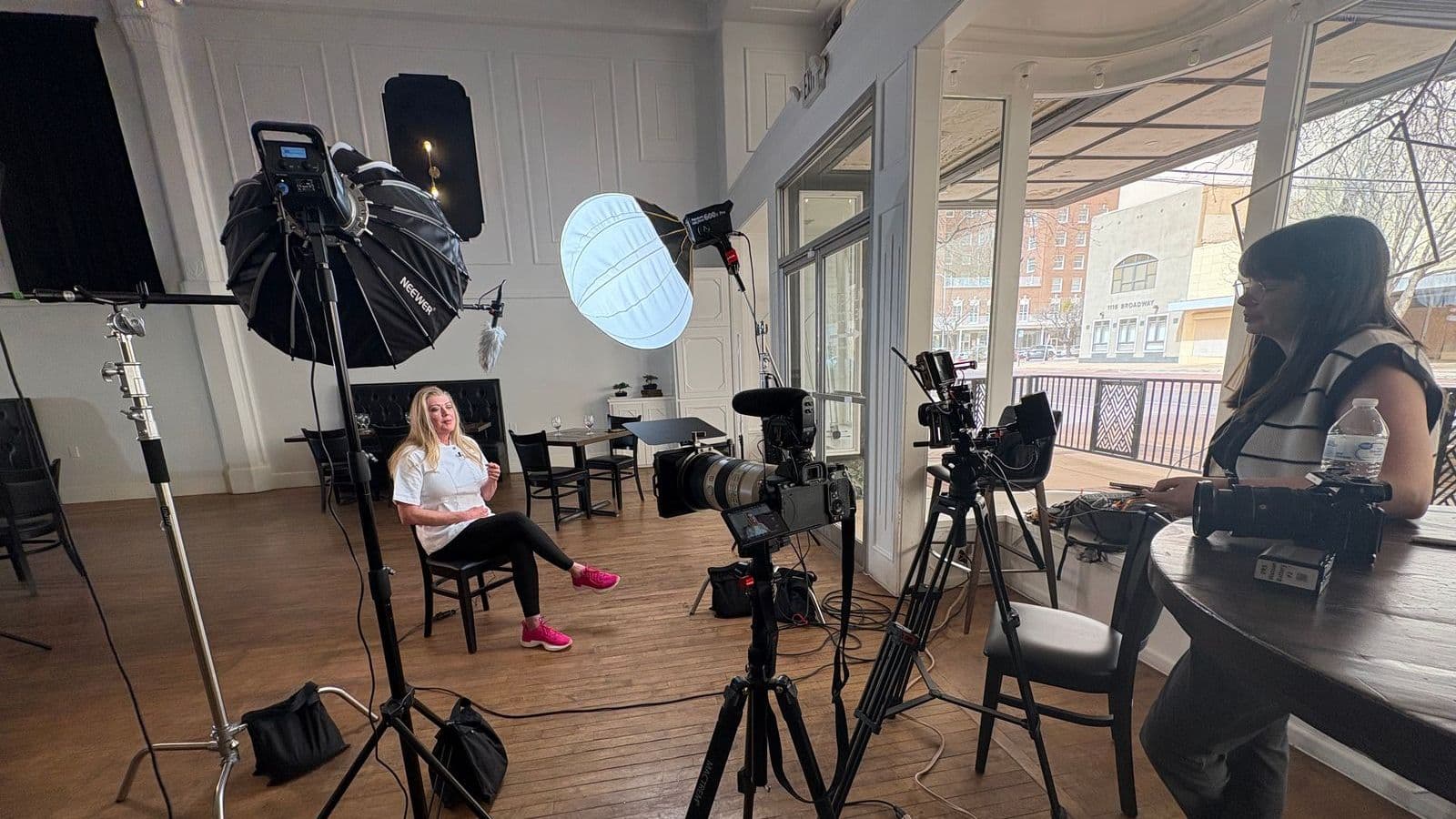
Because the hook is the biggest single lever on performance, the practical move is to write three to five different openings for the same body and film all of them while the lights are already up and the talent is already in the chair. The marginal cost of one more hook take is a few minutes. The cost of coming back to reshoot is another production day.
Plan the same way for length. Capture what you need to cut a 30-second version, a 15-second version, and a 6-second bumper from the same material. Different placements want different lengths, and re-editing is far cheaper than re-filming.
Step 6: Shoot for the Format the Platform Will Show
Decide the aspect ratio before the shoot, not in the edit.
Vertical for Reels, Shorts, TikTok, and Stories. Square or vertical for feed placements. Horizontal for YouTube in-stream and anything embedded on your website. Cropping a horizontal frame down to vertical after the fact usually means cutting someone's head off or losing the product entirely.
Two practical rules on set:
- Frame with safe zones in mind. Platforms lay their own interface over the top and bottom of a vertical video. Keep faces, products, and any on-screen text well inside the middle band.
- Protect the audio. Bad sound reads as amateur faster than soft focus does. A lavalier or shotgun mic in a quiet room is the highest-return equipment decision on the entire shoot.
If you are budgeting a session that has to produce this much material at once, our video production cost breakdown covers what a multi-variation shoot day realistically involves.
Step 7: Edit for the Sound-Off Viewer
A large share of feed video is watched muted, which means your ad has to work as a silent film with subtitles and then work better with audio on.
- Burn in captions. Do not rely on platform auto-captions, which are inconsistent and often unstyled.
- Make the first frame legible. Whatever appears at second zero should communicate something even when frozen in a paused feed.
- Cut faster than feels natural. Change what is on screen every two to three seconds — angle, subject, or text — because static frames are what people scroll past.
- Put the brand where it helps. A logo card at the front costs you the hook. Identity belongs woven through the middle and clearly present at the CTA.
Step 8: Launch Small and Test the Hook First
Do not put the full budget behind one version on day one.
Run your hook variations against the same audience with the same body and the same offer, at a small daily spend, and let them separate. Give each version enough impressions to say something real before you judge it — a few hundred views is noise, not data.
Then read the numbers in order, because they diagnose different problems:
- Three-second view rate tells you whether the hook is doing its job.
- Click-through rate tells you whether the offer and CTA are compelling.
- Cost per lead or purchase tells you whether the whole thing pays.
If view rate is low, the hook is the problem and nothing downstream is worth analyzing yet. If view rate is strong but clicks are not, the offer needs work, not the footage. That sequence saves an enormous amount of guessing.
Step 9: Expect the Winner to Wear Out
Even a strong ad decays. The same audience seeing the same video for weeks stops responding, and the cost per result climbs back up without anything actually breaking.
This is why the shoot-for-variations approach pays for itself twice: the alternate hooks and cutdowns you already filmed become your refresh, and you can rotate creative without booking another production day. Plan on refreshing well before performance falls off, not after.
What This Looks Like in Practice
When we rebuilt the video ad strategy for Jono Long, a Houston fitness coach, the videos he had been running were not badly shot — they were built without a hook, a structured narrative, or a clear ask. New scripts, multiple variations filmed in one session, and platform-specific edits took his cost per lead from over $100 to under $15. The full breakdown is in the Jono Long case study.
Nothing in that project required a bigger budget than what he was already spending. It required the ad to be built in the right order.
Should You Make It Yourself?
Sometimes, honestly, yes. A phone-shot founder talking straight to camera can outperform a polished production, particularly for retargeting people who already know who you are.
Where doing it yourself gets expensive is when the ad has to carry real spend. Controlled lighting and sound across a dozen takes, five usable hook variations in one sitting, and formats cut properly for each placement are production problems, and they are the difference between an ad you can optimize and an ad you can only replace. We walk through where that line sits in DIY vs professional video, and the broader case for putting video to work is in how video marketing grows your business.
Frequently Asked Questions
How long should a video ad be?
Long enough to make one point and ask for one action, which for most businesses lands between 15 and 30 seconds. Shorter cutdowns of 6 to 15 seconds are useful for retargeting people who already know you. Length matters far less than whether the first three seconds earn the next three.
What should a video ad script include?
Four parts: a hook that stops the scroll, a short story that names the problem in your customer's own words, an offer that makes the value concrete, and a single clear call to action. Write the offer first — it decides everything else in the script.
Do I need multiple versions of the same video ad?
Yes. The hook is the single biggest performance lever, so plan three to five hook variations for every concept and film them in the same session. Testing variations is how you find the winner; running one version and hoping is how ad budgets get wasted.
Can I create a video ad on my phone?
For low-stakes retargeting and organic-style content, often yes. Where phone footage falls down is in controlled sound, consistent lighting across multiple takes, and producing five usable variations in one sitting — which is exactly what paid testing requires.
How do I know if my video ad is working?
Watch three numbers in order: three-second view rate tells you whether the hook works, click-through rate tells you whether the offer is compelling, and cost per lead tells you whether the whole thing pays. Diagnose in that sequence — a weak hook makes every downstream number look bad for the wrong reason.
Have the offer but not the footage? Book a free strategy call — we will script the hooks, film the variations in one session, and hand you a set of ads built to be tested, not just watched.