
Headshots for LinkedIn: What Actually Works on the Platform
Your LinkedIn photo is almost certainly the most-viewed image you own. It sits next to every comment you leave, every message you send, every application you submit, and every search result you turn up in. Most people give it about two seconds of thought and then leave it alone for six years.
This is the practical version of what I tell clients before a session — what the platform actually does to your photo, and how to give it something that survives the treatment.
The Short Answer
A good LinkedIn headshot is a current, well-lit photo of your face from roughly mid-chest up, cropped square, on a background that does not compete with you. The platform displays it as a small circle, so tight framing and clean contrast matter far more than clever composition. Everything else is refinement.
LinkedIn Crops You Into a Circle
This is the detail that quietly ruins otherwise good photos. You upload a square image, and LinkedIn renders it as a circle — which means the corners are cut off entirely, and anything close to the edge is at risk.
Two practical consequences:
- Leave breathing room above your head. If your hair touches the top of the frame in the square version, the circle will slice into it.
- A wide environmental shot will not survive. That great photo of you at your desk, with your workspace visible around you? The circle throws away the context and leaves a small head in the middle of a blur.
Frame tighter than instinct tells you. Mid-chest up is the standard for a reason.
It Gets Seen Small
Your headshot appears at full size on your profile page and almost nowhere else. In the feed, in search results, in your inbox, and in notifications, it is roughly the size of a fingernail.
Design for the small version:
- Contrast between you and the background. Dark hair against a dark background merges into a shape. Light shirt against a white wall does the same.
- Faces read; details do not. Jewelry, patterns, and background objects turn into noise at thumbnail size.
- Check it yourself. Upload it, then look at your own comment on a post from your phone. If you cannot tell it is you at a glance, it is too wide or too busy.
What to Wear
Keep it simple, and dress a step above your daily norm rather than in costume.
Solid, muted colors photograph best — navy, charcoal, deep green, and clean neutrals hold up at any size. A jacket or structured layer gives your shoulders a defined line, which reads as polished even when the image is tiny. Skip logos, tight patterns, and anything you would not wear to meet a client.
Our what to wear guide covers this in far more depth, and if you are in a field with an established visual standard — law especially — the attorney headshot wardrobe guide is more specific to that norm.
Expression: Warm, Not Stern
LinkedIn is a networking platform. The people looking at your photo are deciding whether to accept a connection, reply to a message, or take your call — not whether to convict you.
A genuine, relaxed expression outperforms a serious one for almost every profession. That does not mean a forced grin. What separates a good headshot from an awkward one is usually the eyes: an engaged, warm expression reads as confident, while a held smile with flat eyes reads as uncomfortable. This is most of what a photographer is actually doing during a session — talking to you until you stop performing.
Background: Plain or Purposeful
Two options work, and one does not.
A clean, simple background — a studio backdrop, a plain wall, a softly blurred interior — keeps every bit of attention on your face and survives the circle crop intact. This is the safest choice, and the reason most professional headshots are shot this way.
A purposeful environment can work if it is simplified almost to abstraction: a blurred office, a wash of greenery, a wall with texture but no detail. The environment should register as a color and a mood, not as a place.
A cluttered or literal background does not work. Bookshelves, parked cars, conference signage, and the corner of a kitchen all compete with your face and turn to mush at small sizes.
The Mistakes That Cost You
These come up constantly, and every one is fixable:
- The cropped group photo. Someone else's shoulder is in the frame, the resolution is soft, and the lighting was never meant for a portrait.
- The event or wedding photo. You look great. You also look like you are at a wedding, which is not the association you want next to a proposal.
- The front-camera selfie. Held at arm's length with a wide lens, it distorts your features — the reason phone self-portraits so often look subtly off is covered in iPhone photos vs professional brand photos.
- Sunglasses, hats, or heavy filters. Anything that hides your face defeats the entire purpose of the photo.
- The badly outdated photo. If a new contact would not recognize you at a coffee meeting, the photo is working against your credibility, not for it.
- A logo instead of a face. Your company page carries the logo. Your personal profile is where people connect with a person.
- The full-body shot. At thumbnail size, your head is about four pixels tall.
How Often to Update
Every two to three years is a reasonable rhythm for most professionals. Update sooner if you have changed roles or industries, significantly changed your hair or style, or if the photo predates a meaningful shift in how you present yourself professionally.
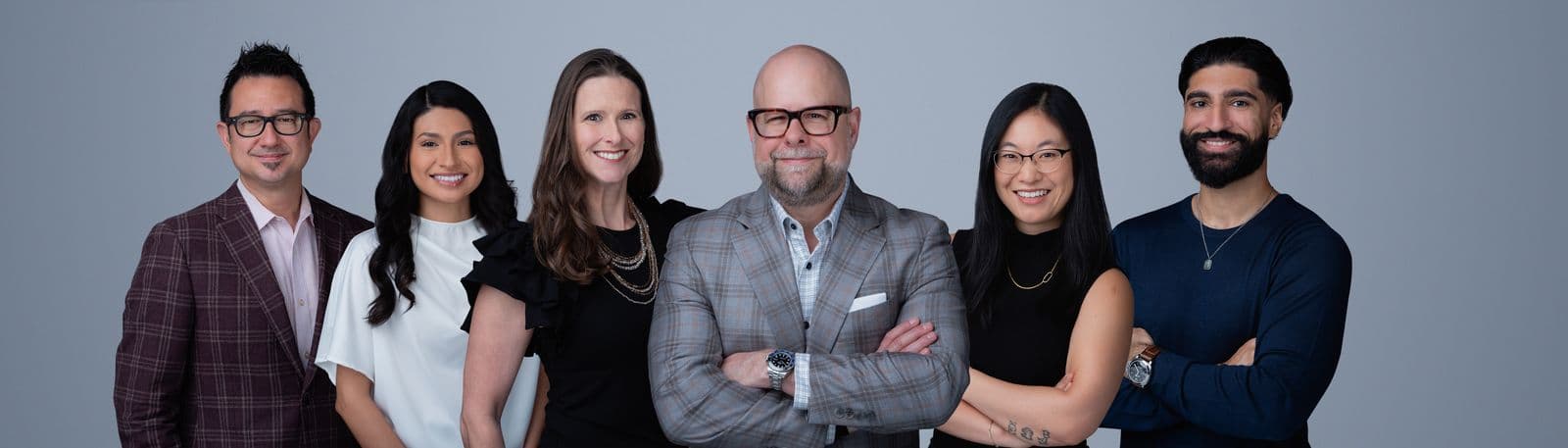
If you lead a team, the same logic applies at the company level. A team whose profiles were all shot at different times, in different styles, quietly looks less coordinated than one that was not — which is the argument for booking corporate headshots as a single session rather than as individual errands over three years.
What to Ask Your Photographer For
If you are booking a session specifically with LinkedIn in mind, ask for these deliverables by name. They cost the photographer nothing extra and they save you from cropping badly later:
- A square, circle-safe crop with room above your head.
- Two framings from the same setup — a tighter one for the profile photo and a slightly wider one for your website bio, speaker submissions, and press requests.
- Two expressions — one warm and open, one more neutral — so you can match the tone to the context.
- A horizontal frame from the same session for your LinkedIn banner, your company team page, or a conference bio.
- Full-resolution files, not just web-sized exports. Upload the largest square version you have and let the platform downsize it; a small file scaled up looks soft.
That last point matters more than most people expect. A sharp original stays sharp when LinkedIn compresses it. A file that was already small starts soft and gets worse.
Do You Need a Professional For This?
Honestly, not always. A well-lit phone photo taken by someone else, a few steps back, in front of a plain wall near a window will serve you better than a dim selfie or a nine-year-old photo.
But LinkedIn is one of the few places where a professional session pays for itself quickly, because the image is in front of people constantly and in contexts where you are being evaluated — hiring, business development, partnerships, speaking. It is also the cheapest entry point into professional imagery: a single session covers your profile, your bio page, and your email signature for years. A strategy call gets you a quote for your session, and if you are local, we shoot these as headshot sessions in Houston both in studio and on location.
Frequently Asked Questions
What makes a good LinkedIn headshot?
A clean, current photo of your face taken from roughly chest up, with even light, a background that does not compete with you, and an expression that reads as approachable rather than stiff. Because LinkedIn crops profile photos into a circle and shows them small, the single most useful thing you can do is frame tighter than you would for a website photo.
How should a LinkedIn headshot be cropped?
Square, with your head near the center and a little breathing room above your hair. LinkedIn displays the photo as a circle, so anything in the corners disappears and anything close to the edge risks being clipped. A crop from mid-chest up is the safe standard — full-body shots shrink your face to nothing at thumbnail size.
Should I smile in my LinkedIn headshot?
Yes, in most cases. LinkedIn is a networking platform, not a courtroom or a passport office. A genuine, relaxed expression makes people more likely to accept a connection request or reply to a message. What matters is that the smile reaches your eyes — a held, posed grin reads worse than a warm, neutral expression.
How often should I update my LinkedIn headshot?
Every two to three years, or sooner if your appearance has changed noticeably or you have changed roles or industries. The test is simple: if someone met you after seeing your profile, would they recognize you immediately? If not, the photo is costing you the small credibility it was meant to build.
Can I use a phone photo for my LinkedIn headshot?
You can, and a well-lit phone photo beats no photo or a cropped party picture. But LinkedIn is one of the few places where a professional headshot earns its cost quickly, because the image sits next to every comment, message, and application you send. If you shoot it yourself, use window light, have someone else hold the phone a few steps back, and avoid the front camera.
Need a headshot that works everywhere your name shows up? Book a free strategy call — we will talk through the look you need and get you a set of images sized for the profile, the bio page, and the banner.