
Video Aspect Ratios and Deliverable Formats: What to Specify Before the Shoot
Almost every video proposal contains some version of the phrase "optimized for every platform." Very few say which platforms, which shapes, how many finished files, or who decides. The phrase sounds like a deliverable and functions as a blank.
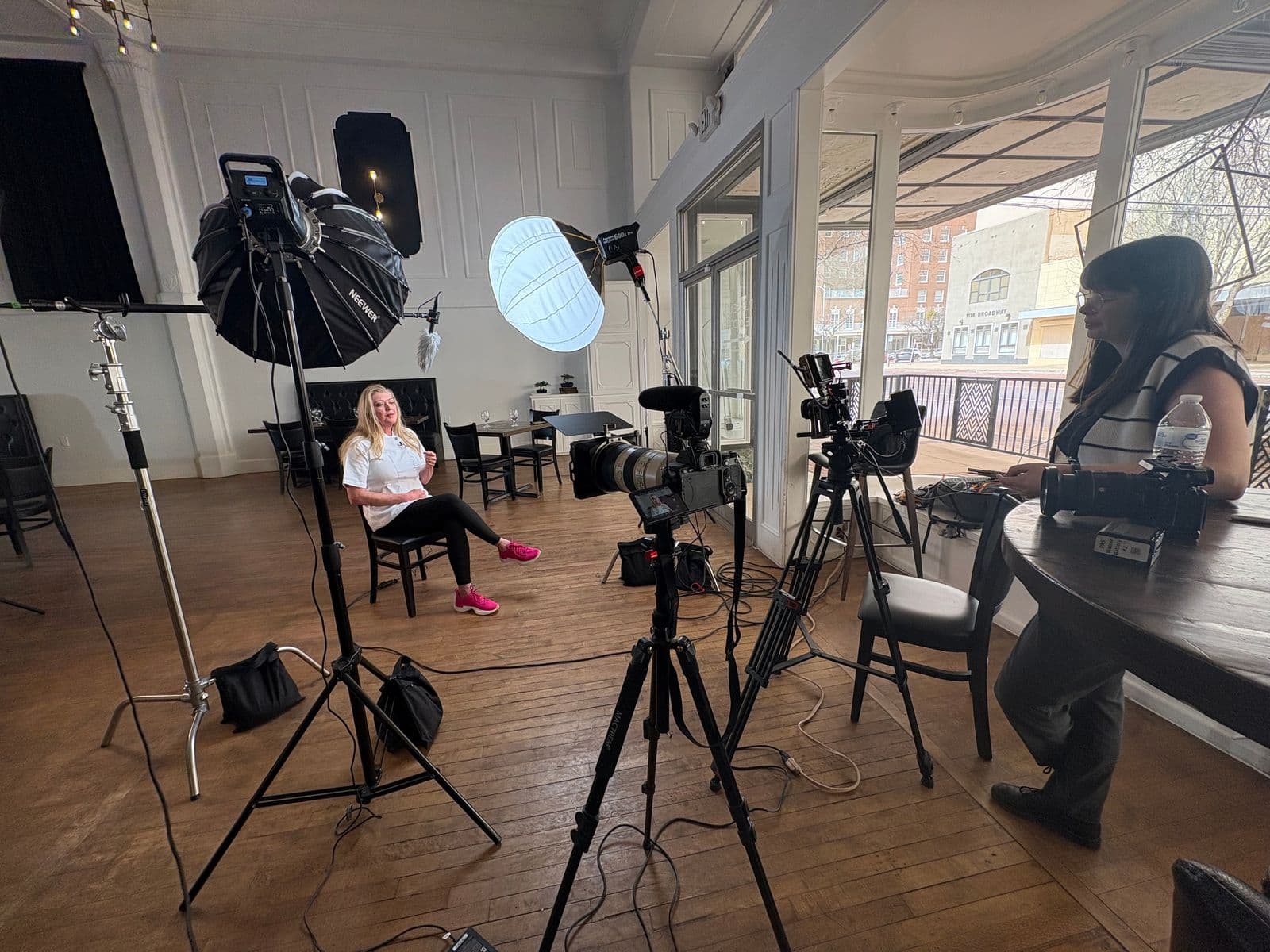
It matters more than it sounds, because the aspect ratio of your video is not an export setting. It is a framing decision made on the shoot day, whether or not anyone discusses it out loud. Once a camera is set for a horizontal frame, the vertical version either exists or it does not — and finding out in the edit is the expensive way to find out.
Here is what the four ratios are actually for, how to decide before the camera is set, and the specific deliverable list to write into a video production scope.
Four Ratios Carry Almost Every Business Video
Everything you will realistically need lives in four shapes.
16:9 horizontal. The shape of a screen somebody is already looking at: your website embed, a YouTube watch page, a sales deck, a conference room display, a trade show loop, a TV. YouTube's own documentation states that the standard aspect ratio for YouTube on a computer is 16:9, and the player resizes itself around anything else you upload.
9:16 vertical. The full phone screen — Reels, Shorts, TikTok, Stories. Meta's best practices for aspect ratios recommend 9:16 for Stories and Reels placements specifically because it fills the whole screen, and most people hold a phone vertically. This is the shape for video whose job is to interrupt a scroll.
4:5 vertical feed. The quietly useful one. It is taller than square, so it occupies more of a scrolling feed, without committing to a full-screen crop. LinkedIn's video ad specifications list 4:5 alongside 9:16, 16:9, and 1:1 with a 5 percent aspect ratio tolerance, and its help center marks 4:5 as the recommended vertical ratio. Meta's placement documentation lists 4:5 as supported on Instagram Feed. One 4:5 file covers a lot of professional feed ground.
1:1 square. The compromise. Square is never the best choice for a known destination and never badly wrong for an unknown one. It survives in feeds, it does not get heavily letterboxed in a horizontal embed, and it does not lose the sides the way a vertical crop does.
The decision rule underneath all of that is simpler than the list suggests. Horizontal for a screen a person has already chosen to look at. Vertical for a screen they are scrolling past. The feed shapes for everything in between, and square when one file has to travel somewhere you do not control.
The Ratio Is Decided on the Shoot Day, Not in the Edit
Here is the number that makes this concrete. Take a 16:9 frame and crop it to 9:16 while keeping the full height. The width you keep is nine-sixteenths of the height, and the height is nine-sixteenths of the width, so you are left with about 32 percent of the original frame width. Roughly two-thirds of the picture is gone.
That is not a subtle loss. It is the difference between a product sitting on the table and a product sitting outside the frame. Between a two-shot of an interview and a crop that cuts one person in half. Between a logo on the back wall and an empty wall. And because the crop has to stay centered to keep a face in it, you do not get to choose which third survives.
The reverse crop is just as destructive. A 9:16 vertical frame cropped to 16:9 at full width keeps about 32 percent of the height, which generally means a strip across the middle of somebody's torso.
So the ratio decision belongs at the front of the project, next to the script and the shot list, not at the end next to the export settings. This is the same point we make as step six of how to create a video ad, and the reason the framing conversation happens before the first setup on a video shoot day.
Three Honest Ways to Get Two Ratios
When a project genuinely needs both a horizontal and a vertical version — most do — there are exactly three approaches, and they have different prices.
1. Frame wide, protect the center. Shoot 16:9 but keep every essential element inside the center vertical column, so the 9:16 crop is always available. This costs nothing in time and costs you composition: no off-center framing, no using the width of the frame to say anything, subject parked in the middle of every shot. It works well for a single-subject talking head or a product on a clean surface. It works badly for anything where the width of the room is part of the point.
2. Run the take twice. Same lighting, same talent, same location — reframe the camera and go again. This costs a few minutes per setup and produces a genuinely native vertical frame, composed for vertical rather than rescued from horizontal. For most business projects this is the right answer, and it is why the vertical cut should be on the shot list rather than discovered afterward.
3. Roll two cameras. One horizontal, one vertical, both recording the same performance. This costs a camera body and usually an operator, and it is the only approach that produces a native vertical of a multi-person scene, a live event, or anything unrepeatable. When the moment only happens once, this is the one that is worth the money.
Ask which of the three a quote assumes. It is a scope question with a real price attached, and vagueness about it is one of the things worth pressing on when you are choosing a video production company.
Safe Zones: Where the Platform Covers Your Picture
Vertical video is never displayed clean. Platforms lay their own interface over the top and bottom of the frame — caption text, account name, action buttons, progress indicators — and that interface moves as the app changes. Meta publishes a recommended safe zone for Reels creative for exactly this reason.
Do not try to memorize margins in pixels. The durable rule is that the interface always lands on the top and bottom edges, so faces, products, and any on-screen text belong in the middle band of a vertical frame. Anything you need the viewer to read should sit comfortably inside it.
The related mistake is baking bars into the file. YouTube's guidance is direct: avoid adding padding or black bars directly to your video, because the player adds its own padding where it is needed — white by default, dark gray in Dark theme — and a pre-baked bar stops the player from sizing the video correctly. You end up with bars inside bars. Deliver each ratio as a native-sized file, never as a smaller picture floating inside a bigger canvas.
Length Is a Format Too
Every platform's maximum duration, maximum file size, and recommended pixel dimensions are moving targets, and they have all moved more than once in the last few years. What has not moved is the planning principle: decide the shortest cut you intend to publish before the shoot, and build the story so that the short version is a real version rather than a truncated one.
In practice that means filming enough coverage — extra openings, alternate lines, extra B-roll — that a sixty-second cut, a thirty, and a fifteen can each stand on their own. The marginal cost of another take while the lights are up is minutes. The cost of discovering the short version has no beginning is another shoot day. The same logic drives the volume of material behind an effective social media content program.
What Belongs on the Deliverable List
Replace "optimized for all platforms" with a list somebody could fail to deliver.
- A master file. Highest-quality export, native ratio, no burned-in text, no bars, no platform compression. Every other version is cut from this, and you should have it.
- Named placements, not "social versions." "One 9:16 sixty-second cut for Reels and TikTok, one 4:5 thirty-second cut for LinkedIn and Instagram feed, one 16:9 ninety-second cut for the website" is a scope. A count and a shape per placement.
- Which cuts are native and which are cropped. A cropped vertical and a vertical that was shot vertical are different products. You are entitled to know which one you are buying.
- Captions, specified per cut. Burned in on vertical social, where feeds autoplay muted, and a sidecar file on the long-form master. Our guide to video captions and accessibility covers the standard, the file formats, and the full spec to ask for.
- On-screen text re-laid out per ratio. Text designed for a wide frame and then scaled down to fit a narrow one reads as an afterthought, because it is one. Lower thirds, titles, and end cards should be rebuilt for each shape.
- File names that say where each file goes. "Final_v4_FINAL.mp4" is how the wrong cut ends up on the homepage.
- What a later re-export costs. Platforms change and campaigns add placements. Agree the price of a new ratio now, while you still have leverage, not in nine months.
"Can You Just Resize It" Has Three Different Prices
When that request arrives after delivery, it resolves to one of three jobs, and almost everyone assumes the first.
A re-export is minutes. Same edit, different canvas, possible only when the footage was framed with the second ratio in mind.
A re-edit is hours. Subjects repositioned shot by shot, on-screen text rebuilt, pacing adjusted because the crop changed what reads. This is what most "just make it vertical" requests actually are.
A re-shoot is a day. This is what happens when the original frame simply does not contain a usable picture at the new ratio, and no amount of editing invents the missing two-thirds.
Deciding the ratios before the shoot is what keeps every later request in the first category. It is also one of the quieter line items inside a video production budget — the cost of a format decision made late is almost never charged as a format decision.
Do Not Freeze the Spec Sheet
One last thing, because it is the trap in this whole subject. The ratios are stable. 16:9 has been the horizontal standard for decades, 9:16 has meant "full phone screen" since vertical video existed, and 4:5 and 1:1 have been the feed shapes throughout. The numbers around them are not stable: maximum durations, file size ceilings, recommended pixel dimensions, and which placements exist at all have all changed repeatedly.
So lock the ratios in your scope and confirm the current upload numbers against each platform's own documentation on the day you publish. A production partner handing you a laminated spec sheet is handing you something with an expiration date on it. A production partner asking where each cut is going to live is doing the part that stays true.
Frequently Asked Questions
What aspect ratio should a business video be?
It depends entirely on where the video gets watched, and most businesses need more than one. Horizontal 16:9 is the shape of your website embed, a YouTube watch page, a conference room screen, and a sales deck — YouTube's own documentation calls 16:9 the standard aspect ratio for YouTube on a computer. Vertical 9:16 is the shape of Reels, Shorts, TikTok, and Stories, where the video has to fill a phone screen to interrupt a scroll. Between them sit 4:5 and 1:1, the feed shapes: LinkedIn marks 4:5 as its recommended vertical ratio, and square remains the safest single file when one version has to work in several places. The practical answer for most businesses is a 16:9 master plus at least one vertical cut.
Can you just crop a horizontal video to vertical afterward?
Sometimes, and it costs you most of the frame. Cropping a 16:9 frame to 9:16 at full height keeps roughly 32 percent of the original width — everything outside that narrow center column is gone. If your product, your second speaker, or the logo on the wall sits outside the middle third, it does not survive the crop. A single centered subject on a clean background usually crops fine. A two-person interview, a wide facility shot, or anything where the composition carries meaning usually does not.
Is 4:5 or 9:16 better for LinkedIn?
LinkedIn's advertising documentation lists 4:5, 9:16, 16:9, and 1:1 as supported ratios with a 5 percent tolerance, and its help center marks 4:5 as the recommended vertical ratio. In practice 4:5 is the better default for LinkedIn because it takes up more vertical space in the feed than square without committing to the full-screen crop, and the same file also runs on Instagram and Facebook feed. Reserve 9:16 for the placements that are genuinely full-screen.
How many versions of one video should we actually get?
Fewer than most proposals imply and more than one. For most business projects the honest list is three: a 16:9 long-form master for the website and YouTube, one vertical cut for social feeds, and one short vertical cut for paid placements or Stories. Anything beyond that should be tied to a named placement you can point to. A deliverable list that says "optimized for all platforms" with no count is not a scope, because there is no version of it the production company can fail to deliver.
Should we still be making square video?
As a compromise file, yes. Square is the one ratio that is never badly wrong: it holds its shape in a feed, it does not get heavily letterboxed in a horizontal embed slot, and it does not lose the sides the way a vertical crop does. If a video has to be handed to a partner, a sponsor, or a client whose placement you do not control, square is the safest single file to send. If you know the destination, a ratio chosen for that destination will always outperform it.
Do we need a separate shoot day to get vertical video?
Almost never a separate day. There are three ways to get both ratios and only the last one adds real cost: frame horizontally but keep everything essential inside the center vertical column, run a second take with the camera reframed while the lights and talent are already set, or roll two cameras at once. The second approach costs a few extra minutes per setup and produces a genuinely native vertical frame, which is why it is the usual answer. The two-camera approach is the only one that gets a native vertical of a multi-person scene, and that is where the added cost is actually justified.
Platform requirements change. The ratios, tolerances, and player behavior described above are summarized from the official YouTube, Meta, and LinkedIn documentation linked in each section — confirm current dimensions, durations, and file limits against those sources before your creative is locked.
Want the aspect ratios and the deliverable count written into the scope instead of negotiated after the shoot? Book a free strategy call — we will start with where each cut is going to live and work backward to how the day gets shot. See how we approach video production generally, or how the same thinking applies to ongoing social media content.